
Converge
Reconcile, resolve, and unify data from disparate sources.
When new asset data arrives — from LiDAR collection, imagery capture, or a field survey — reconciling it against your existing inventory is a significant challenge. Converge automates the conflation process, identifying exact matches, near matches, potential new assets, and likely removals across your dataset. It then surfaces those findings in a clear, actionable interface so your team can resolve issues efficiently and maintain a single, authoritative record of what's in the field.
Converge details
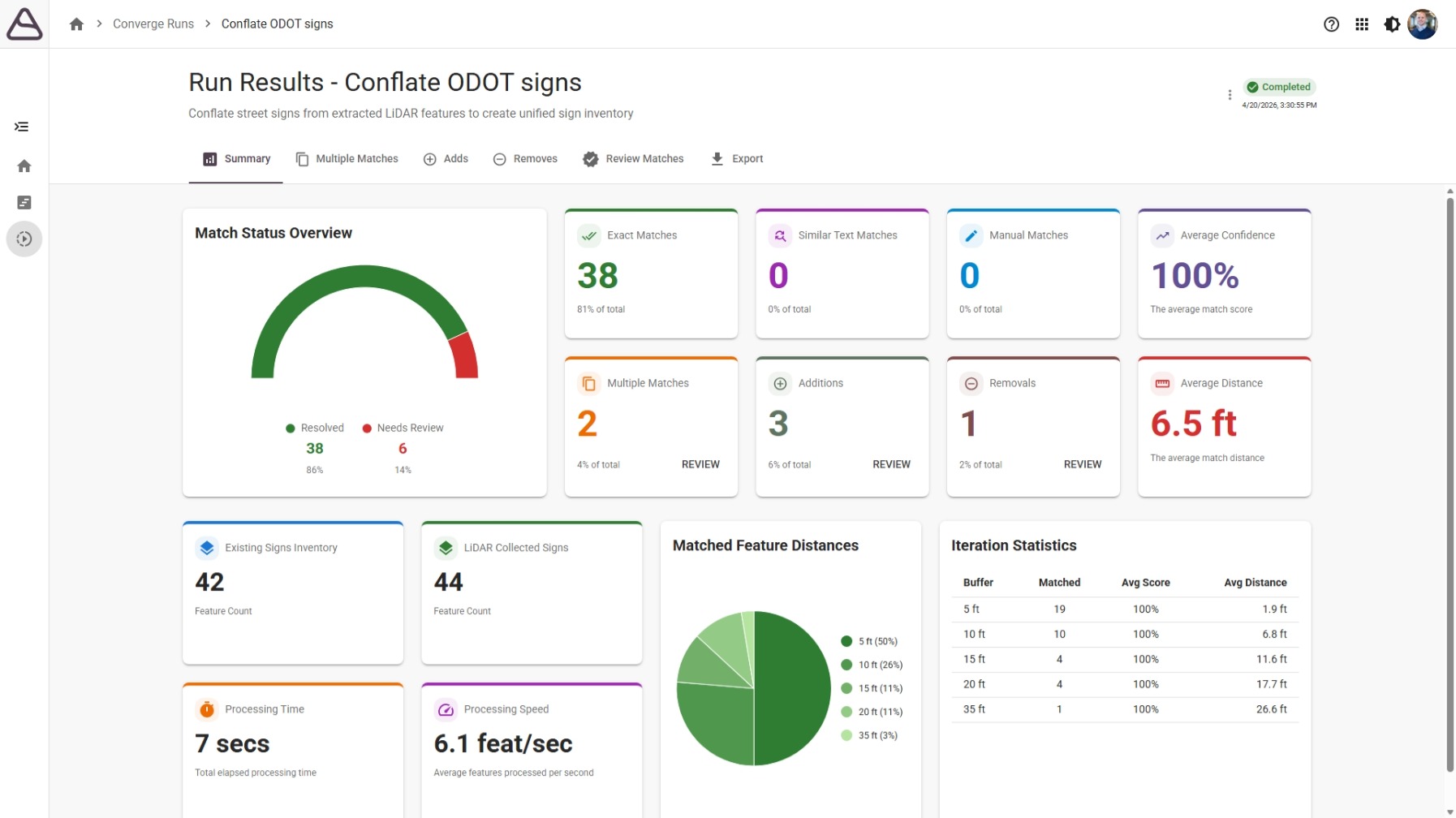
Understand your match results at a glance
The analysis dashboard gives coordinators an immediate picture of how the incoming dataset aligns with the existing inventory. Review counts for exact matches, similar matches at each configured distance tolerance, potential new assets, and likely removals — all before diving into individual records. Processing statistics and match trends help you assess data quality and track improvement across successive runs.
Review and resolve individual matches
Step through flagged records in a focused review interface that surfaces the information you need to make confident decisions. Side-by-side attribute comparisons, integrated map views, and point cloud context let reviewers evaluate each candidate match without switching applications. Attributes can be edited directly, and reviewed records are tracked so nothing slips through.
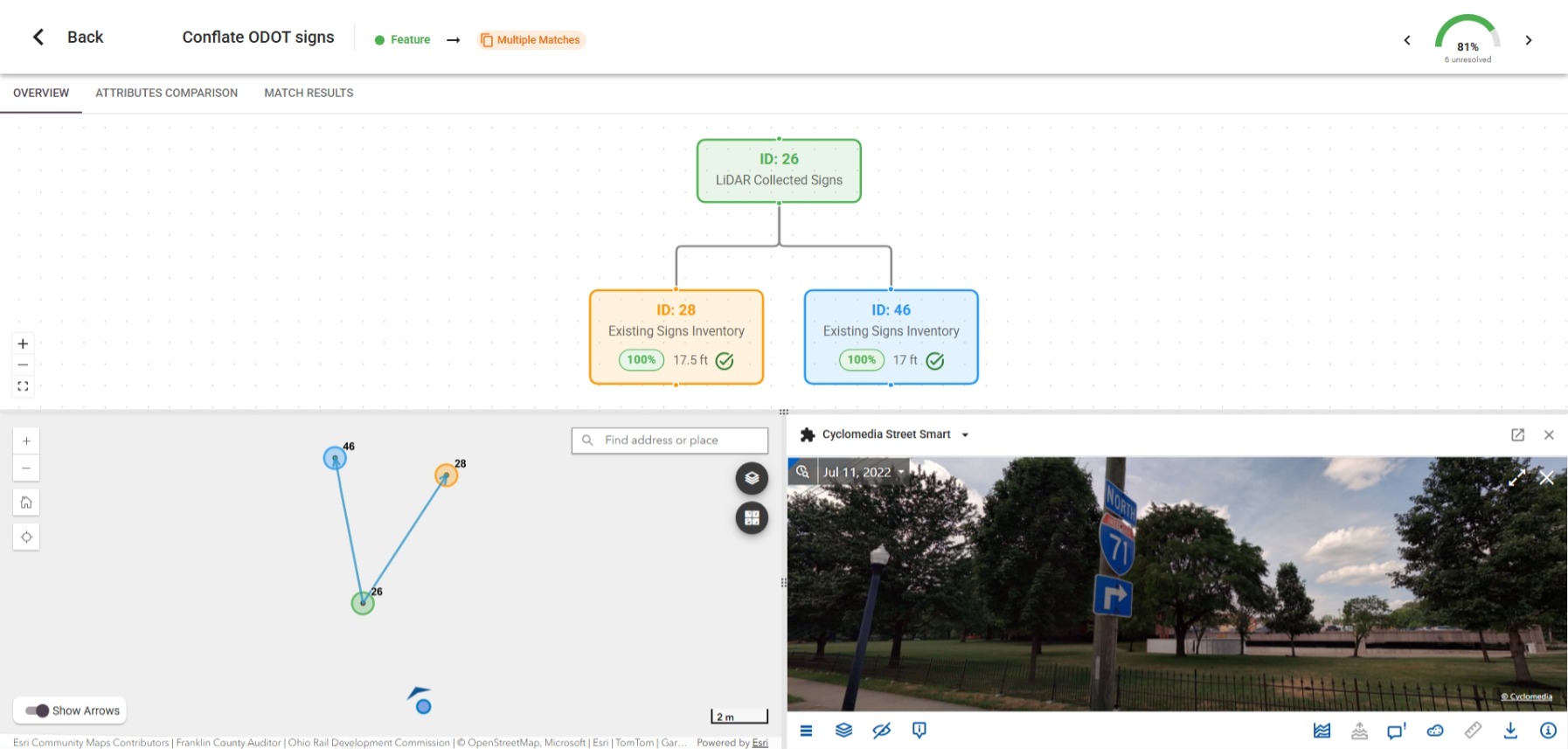
Handle multiple match candidates efficiently
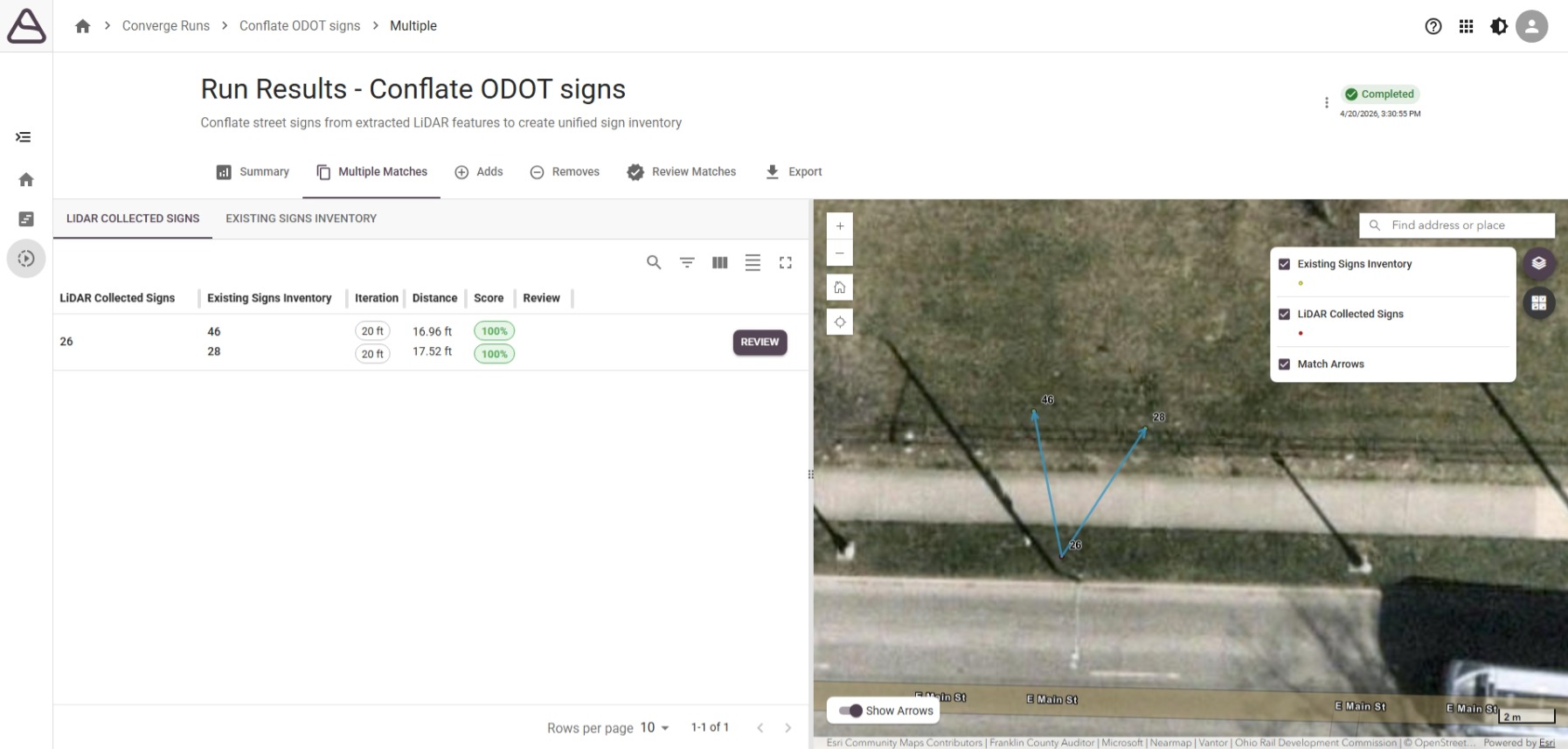
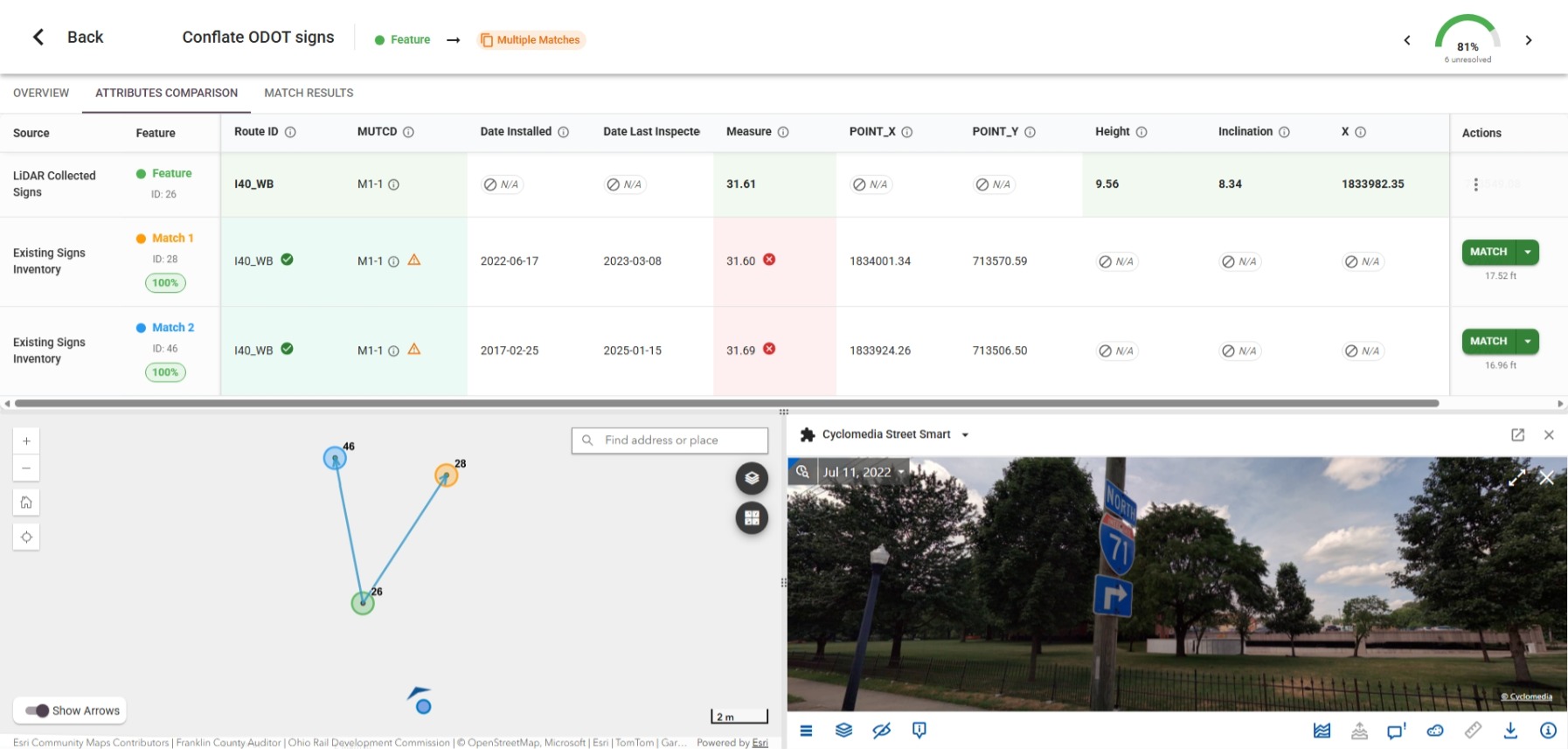
When an asset from the incoming dataset matches more than one record in the existing inventory, Converge surfaces all candidates together so reviewers can evaluate and select the correct match in a single step. The interface is designed to make these more complex decisions fast — with map context, distance indicators, and attribute data visible without extra navigation.
Identify newly collected and removed assets
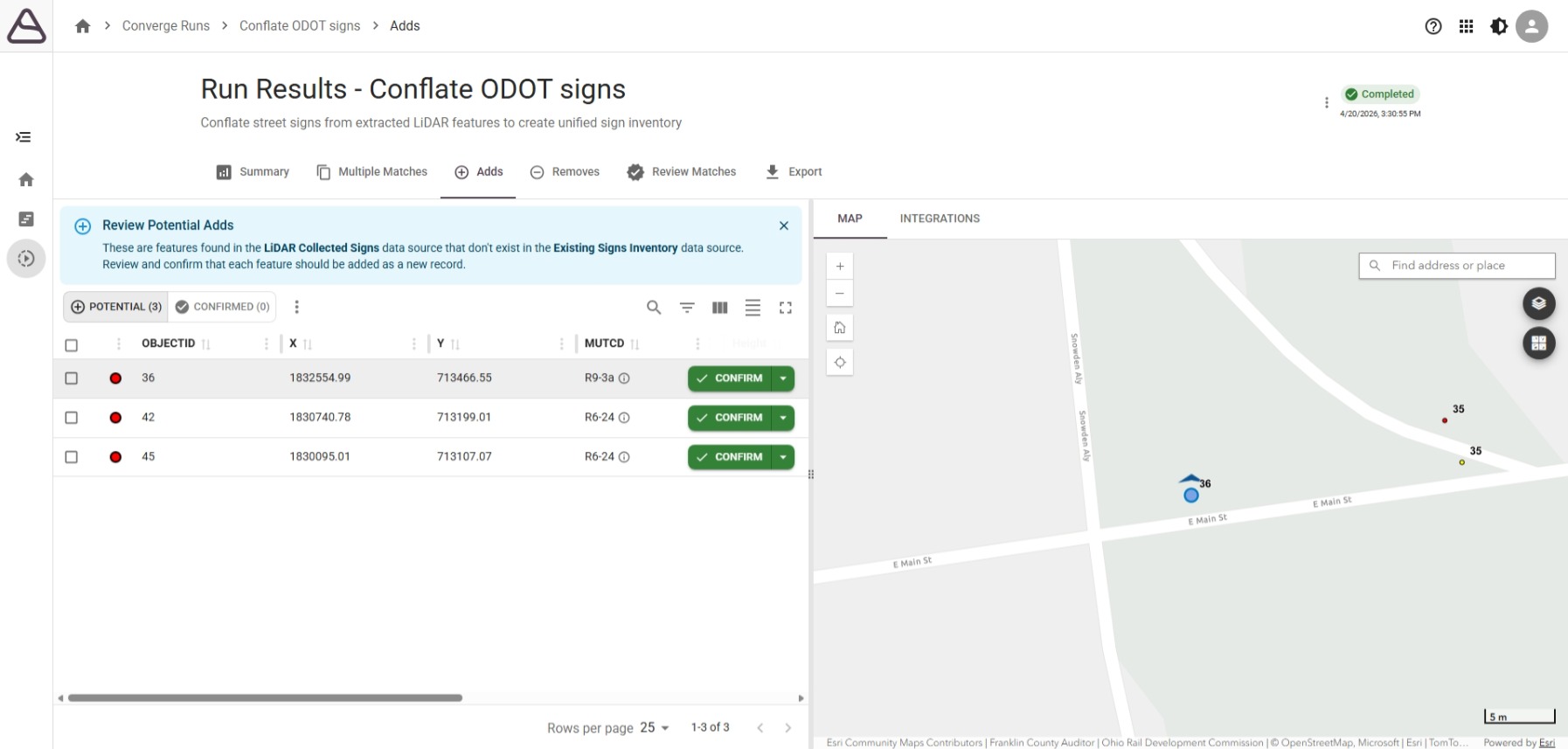
Beyond matching existing records, Converge flags assets that appear in the incoming data but have no counterpart in the inventory — potential additions — and existing records with no match in the new dataset — potential removals. Each group is presented for review so your team can confirm, reject, or flag for further investigation before any changes are committed.
Configure tolerances, weighting, and export
Converge is designed to fit your data environment. Configure match tolerances, attribute weighting, and iteration settings to tune the conflation process to your inventory's characteristics. When review is complete, map source attributes to output fields and export to the formats your downstream systems expect — keeping clean data moving through the rest of your workflow.
The foundation of the Data Central Suite.