
Road Analyzer
Smarter road data. Better infrastructure decisions.
Designed for local and state agencies, Road Analyzer gives your team the tools to make informed, data-driven infrastructure decisions — deployed as part of a larger LRS project or as a standalone solution.
Road Analyzer details
Straight-line diagramming with rich data layers
Road Analyzer's SLD displays point and linear features side by side in Stick Diagram and Bar Panel views. Attribute layers are fully user-configurable — your team decides which data to show, in what order, and at what scale. Templates can be saved and shared so colleagues work from a consistent view of the network.
Visualize assets in 2D and 3D
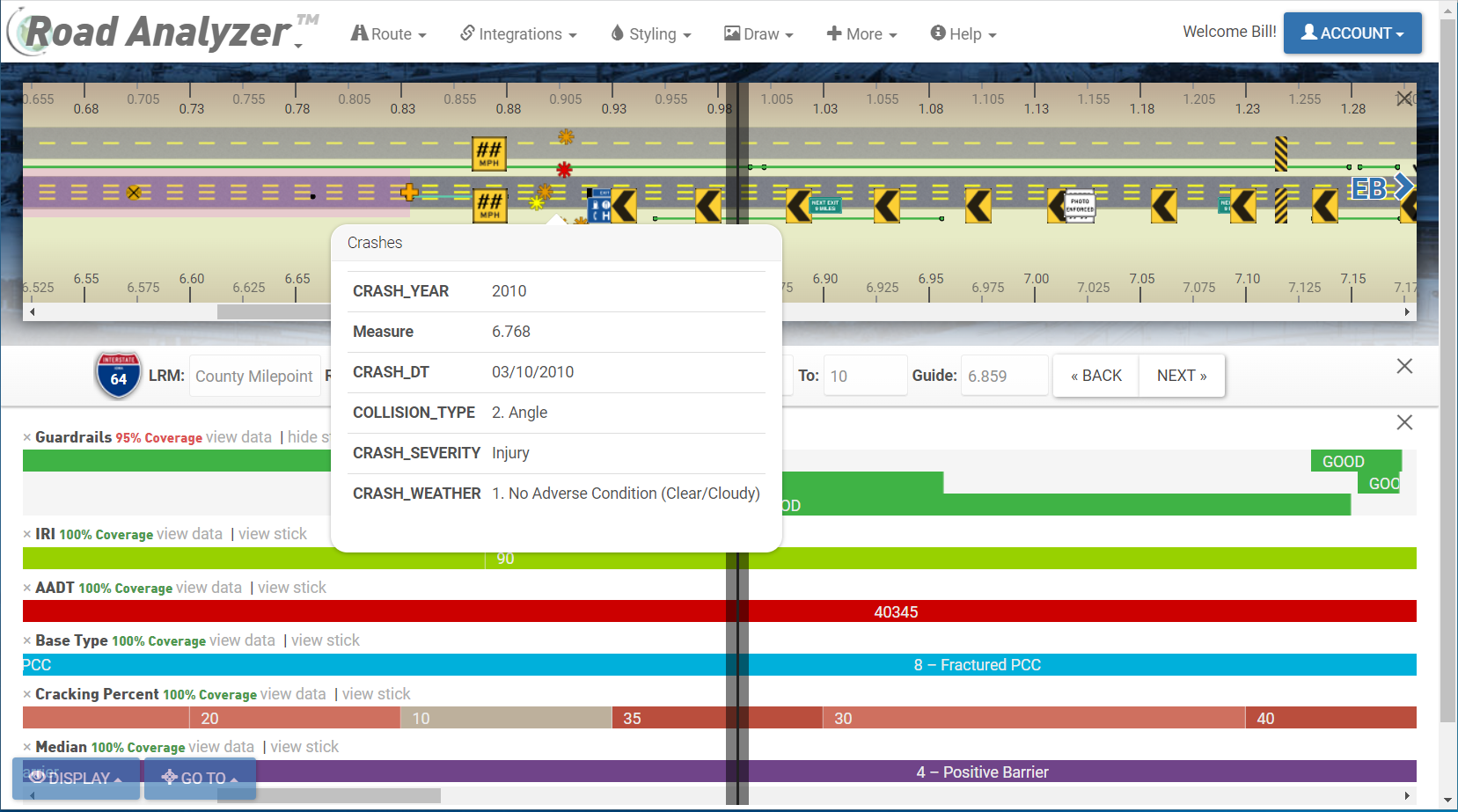
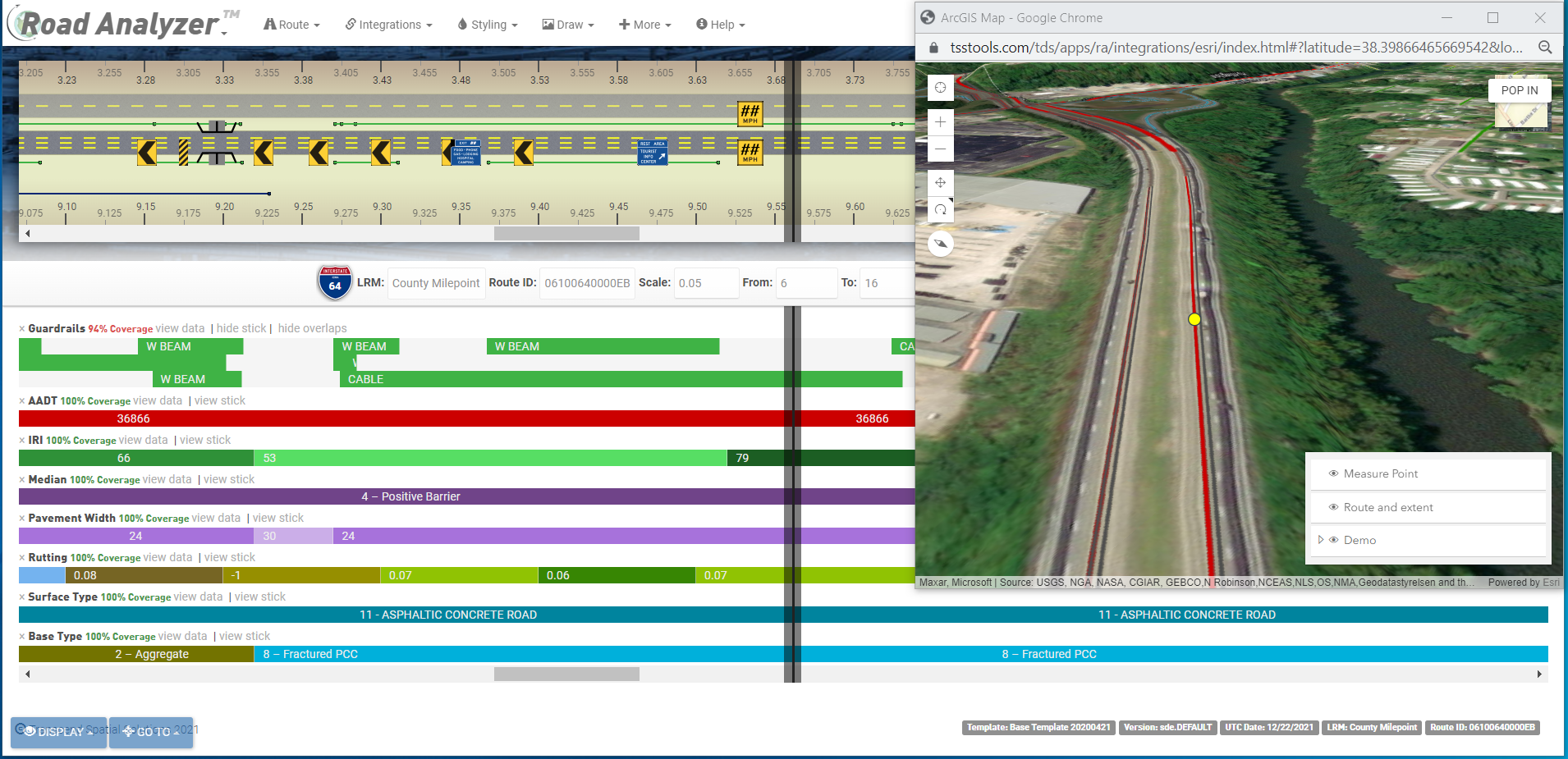
Go beyond the traditional SLD with an integrated map interface that supports both standard 2D and immersive 3D views. Click any feature on the diagram to see a contextual attribute popup with the underlying data — useful for quickly cross-referencing inventory details, crash records, or condition ratings without leaving the application.
Integrated road video and LiDAR
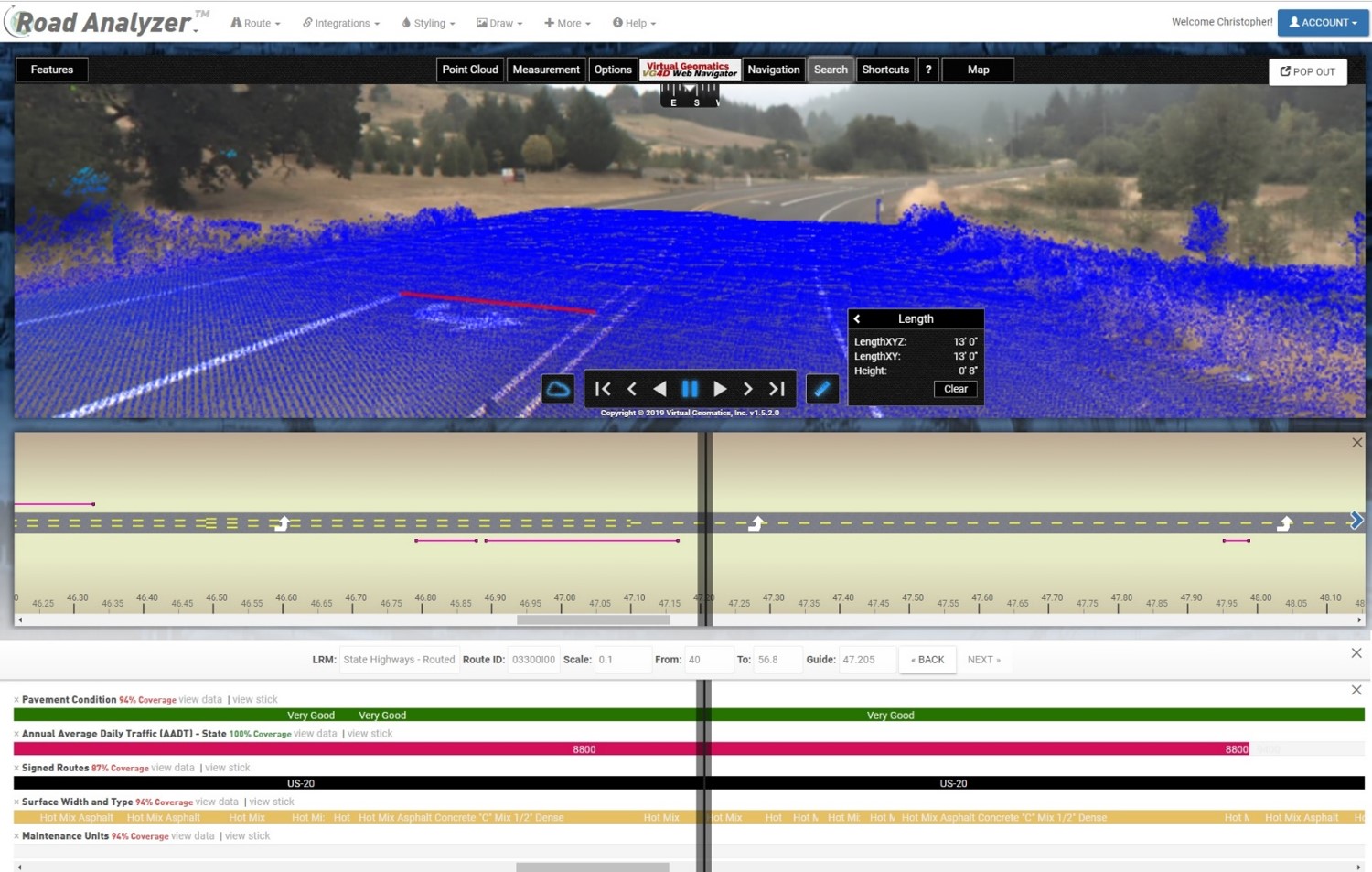
View traditional video log sources, street-level imagery, and mobile LiDAR point clouds without switching applications. Cross-validate your road inventory by comparing what's in the field against what's recorded in your data — catching discrepancies before they affect decision-making. The 3D map and LiDAR viewer bring a new dimension to network review.
Pavement and condition layer analysis
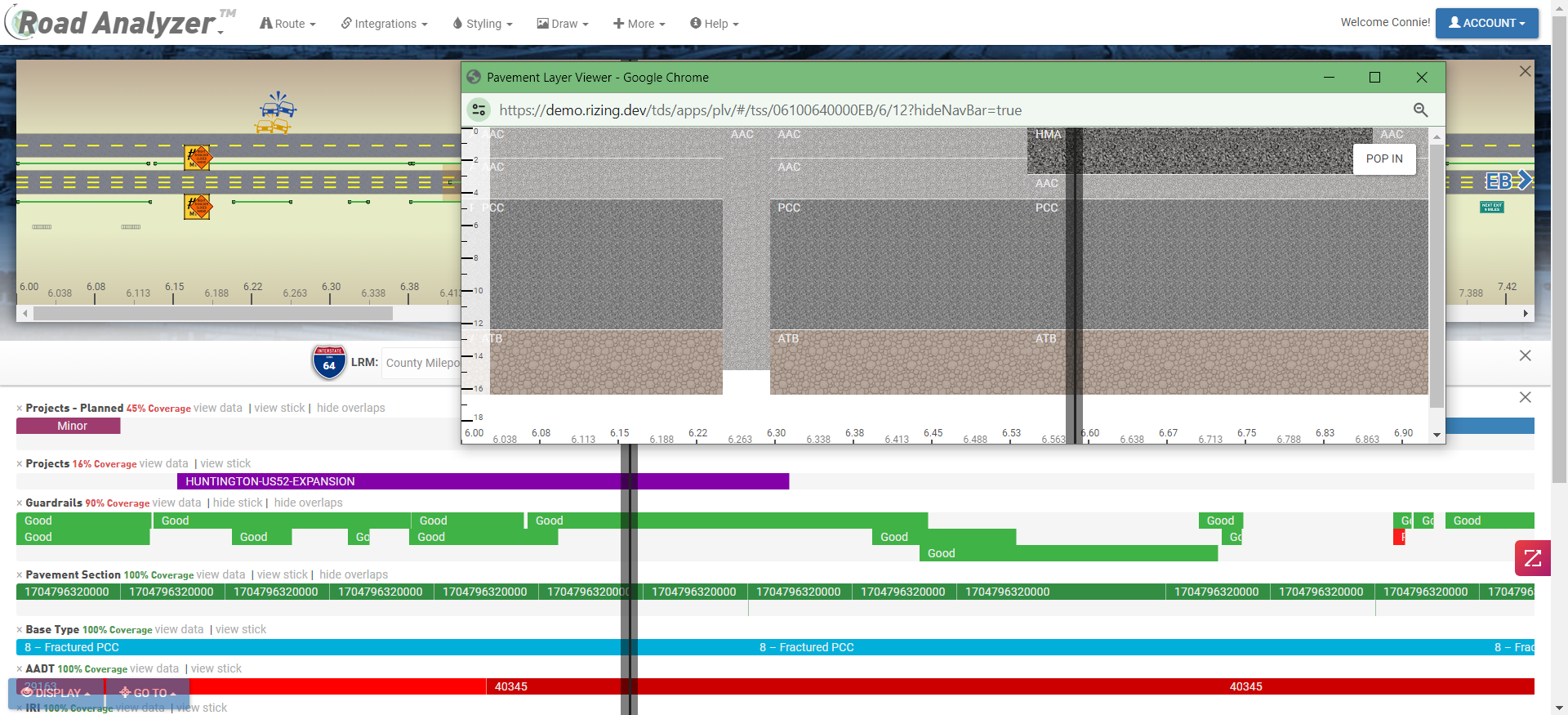
Dedicated layer views let asset managers and engineers focus on pavement condition, surface type, and treatment history across the network. Aggregate data across segments to reveal trends, prioritize maintenance candidates, and support capital planning discussions with clear, visual evidence drawn directly from your authoritative data sources.
Redlining and in-app collaboration
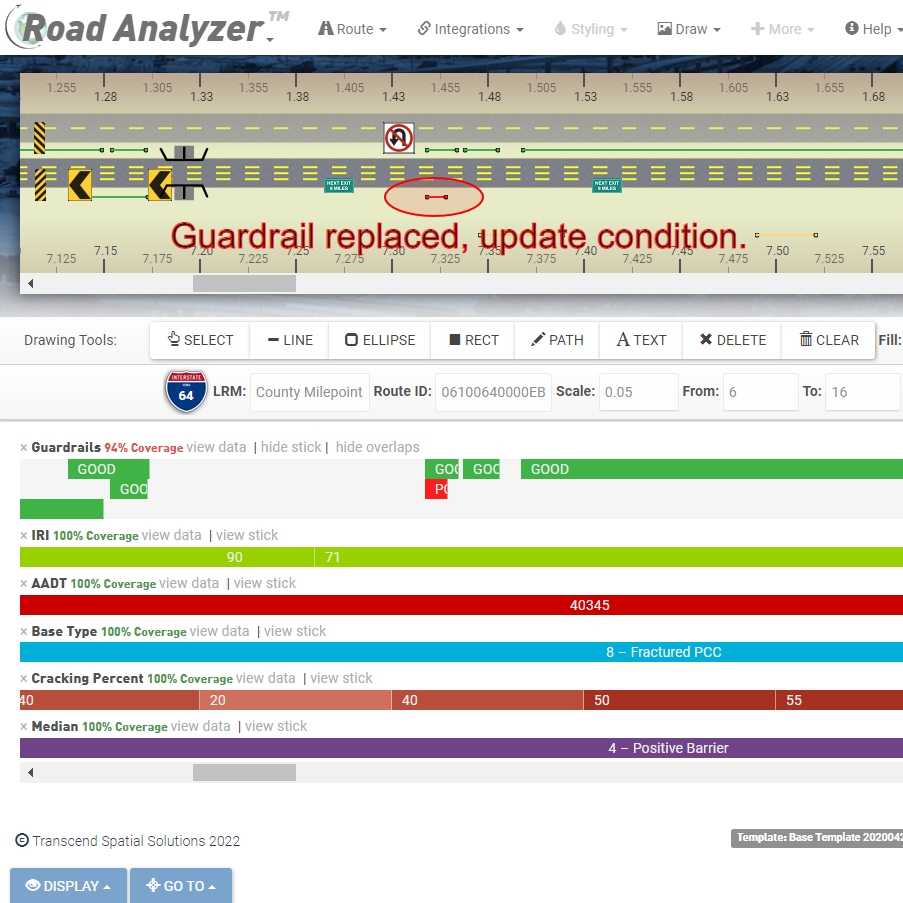
Annotate and highlight areas of interest directly on the SLD using built-in redlining and drawing tools. Diagrams can be shared with colleagues and stakeholders through built-in notifications — keeping everyone working from the same view without exporting to separate files. Comments and markups stay linked to the route and data they reference.