
Validation Assistant
Verify data quality across multiple sources with confidence.
Enterprise data is only as valuable as it is accurate. Validation Assistant extends native GIS geometry validation with web-based business data compliance checks across single or joined tables — including complex LRS cross-table validations. Build your validation library once, run it on demand or on a schedule, and give your team a clear, prioritized view of what needs to be fixed.
Validation Assistant details
Build validations from simple to complex
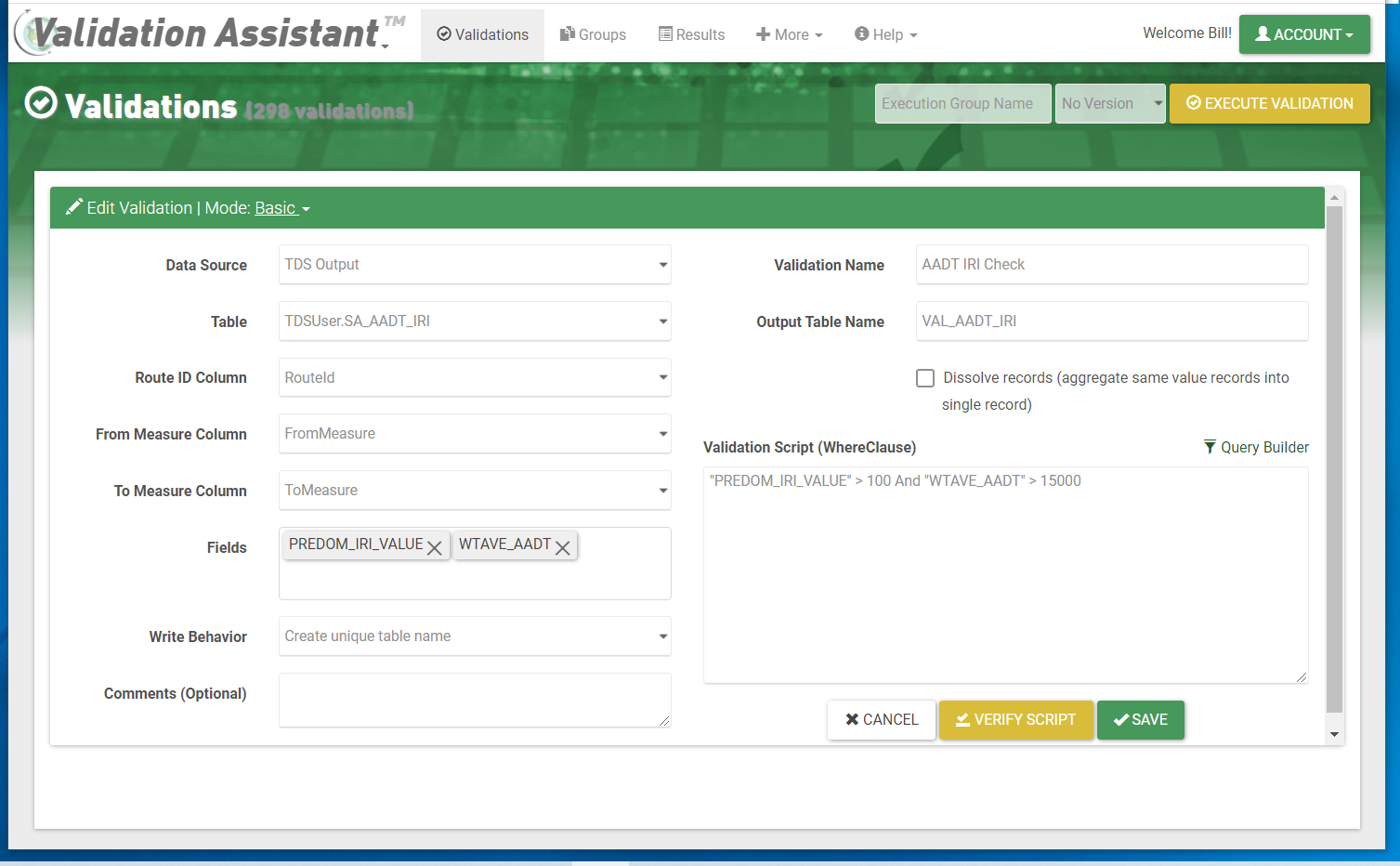
Write validations as straightforward WHERE clauses or as raw SQL for advanced multi-table checks. The validation builder walks you through query construction and lets you test against live data before saving. Validations can be edited and maintained over time as your data model evolves — no need to rebuild your library from scratch each cycle.
Organize validations into logical groups
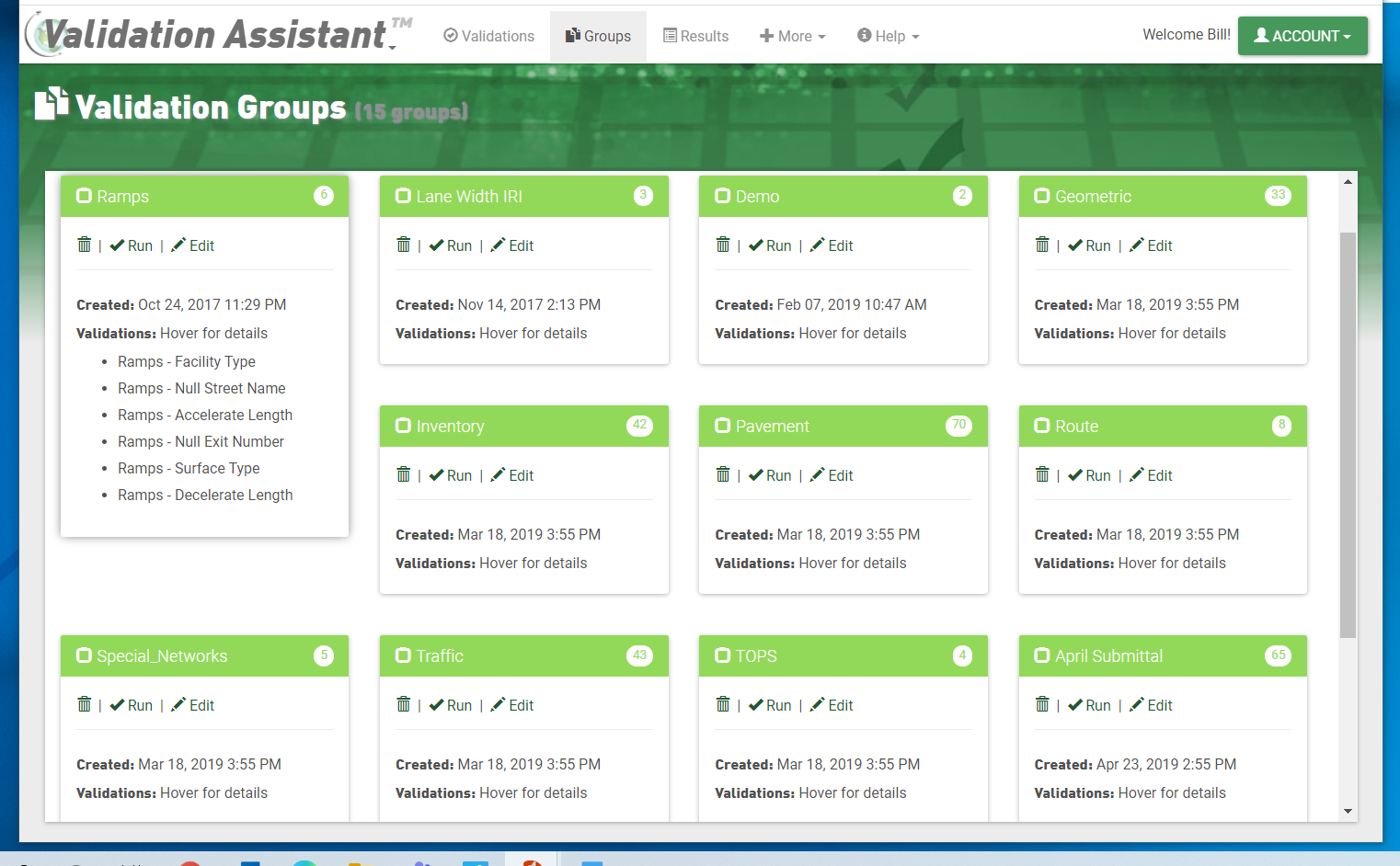
Group related validations together to reflect the structure of your QC process — by dataset, by data steward, or by workflow stage. Groups can be collapsed or expanded to focus on the area you're working in, and individual validations within a group can be toggled on or off without deleting them.
Review results and track history
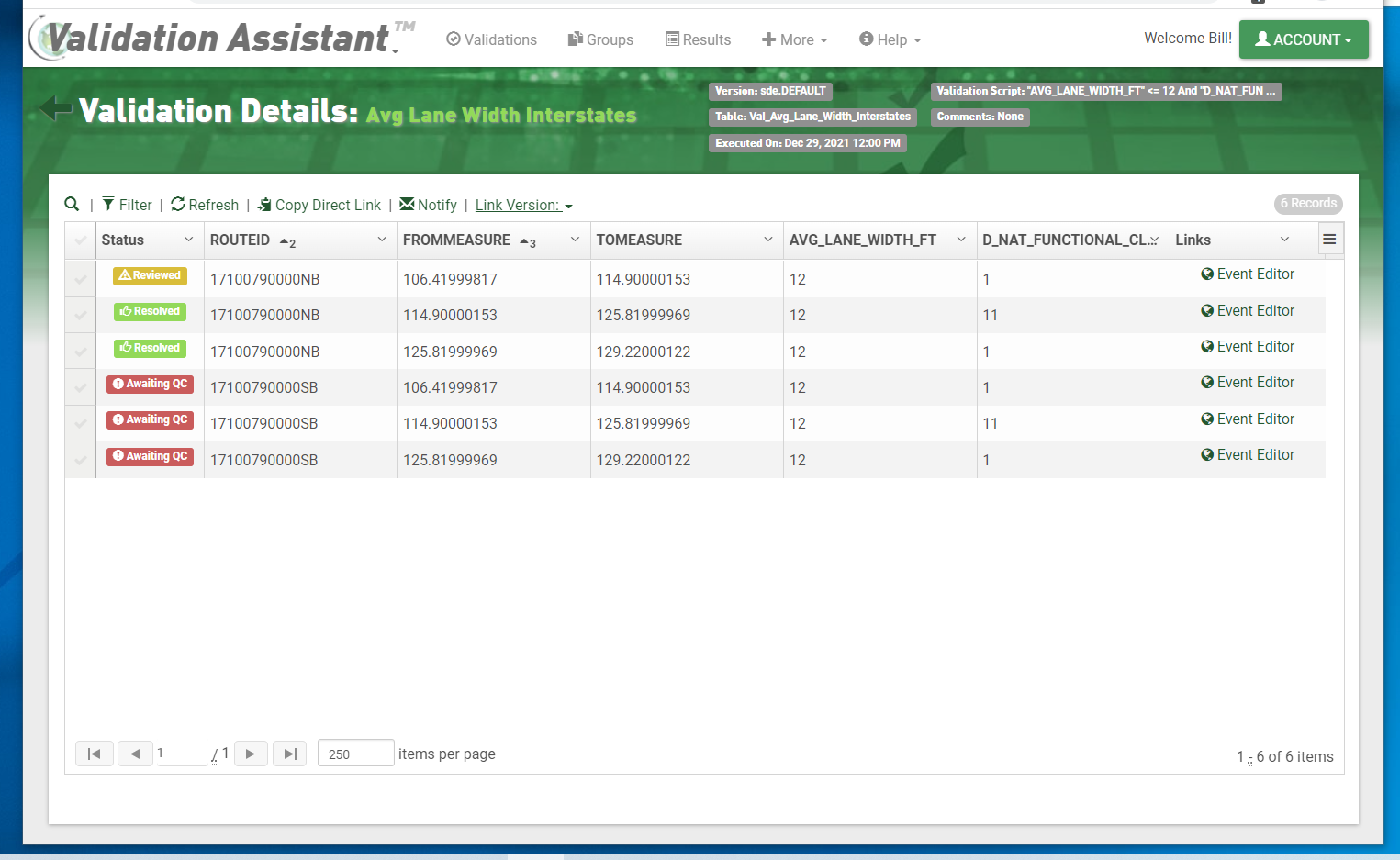
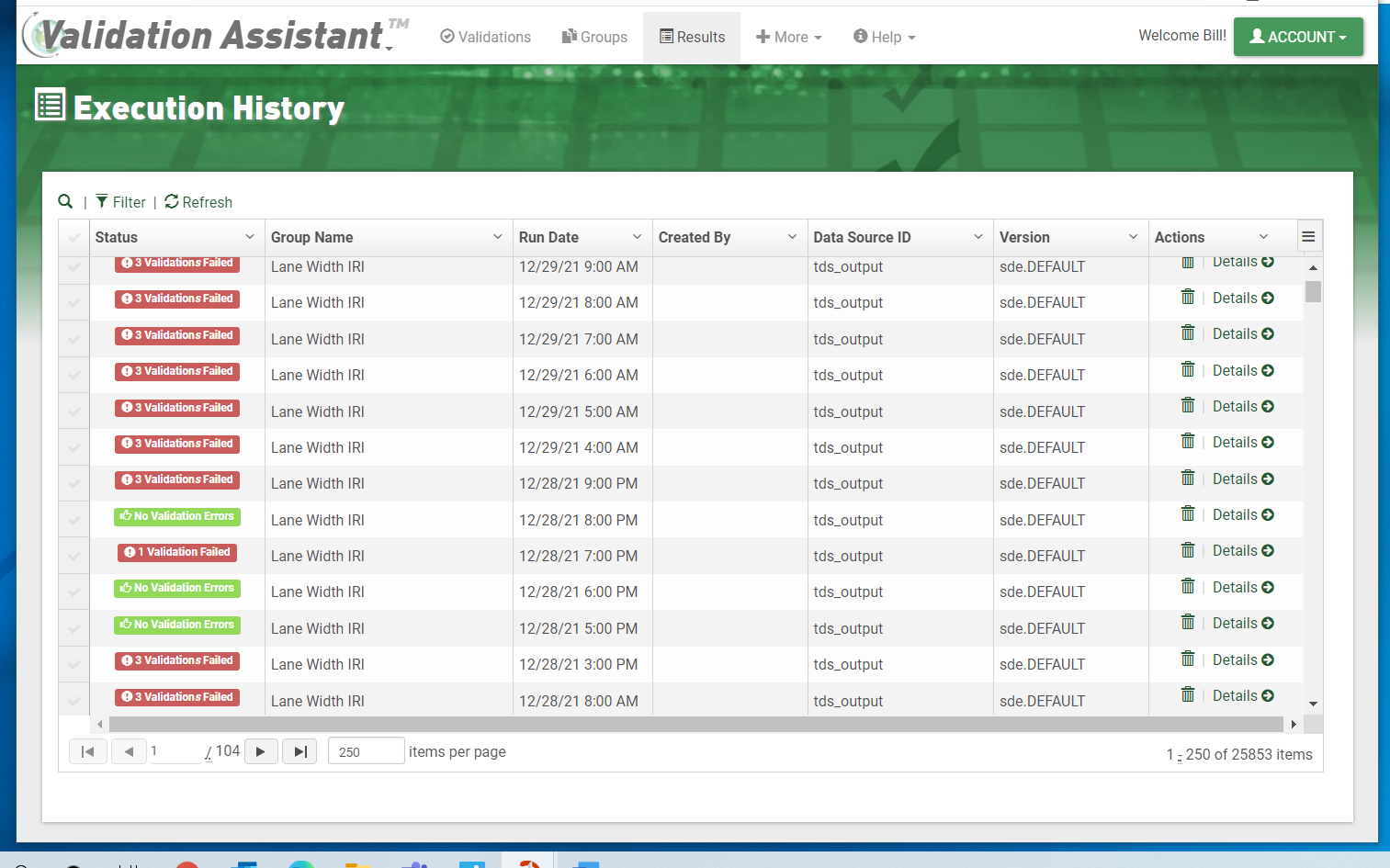
After each run, results are displayed alongside prior run history so you can track whether data quality is improving over time. Detailed results show exactly which records failed and why, giving data stewards the context they need to triage issues efficiently. Run logs are retained automatically, providing a full audit trail.
Generate punch lists and drive corrections
Failing records are assembled into a punch list that can be shared directly with editors. Links to web-based editing tools let staff navigate straight from a flagged record to the place where the correction needs to be made — in the source system of record. Built-in email notifications keep the right people informed when a run completes.